See how the month is going
Know what each number on the This month report means, and which ones change with the dates you pick.
Time: A minute to read · Updated Oct 13, 2026
Open the report and pick the dates
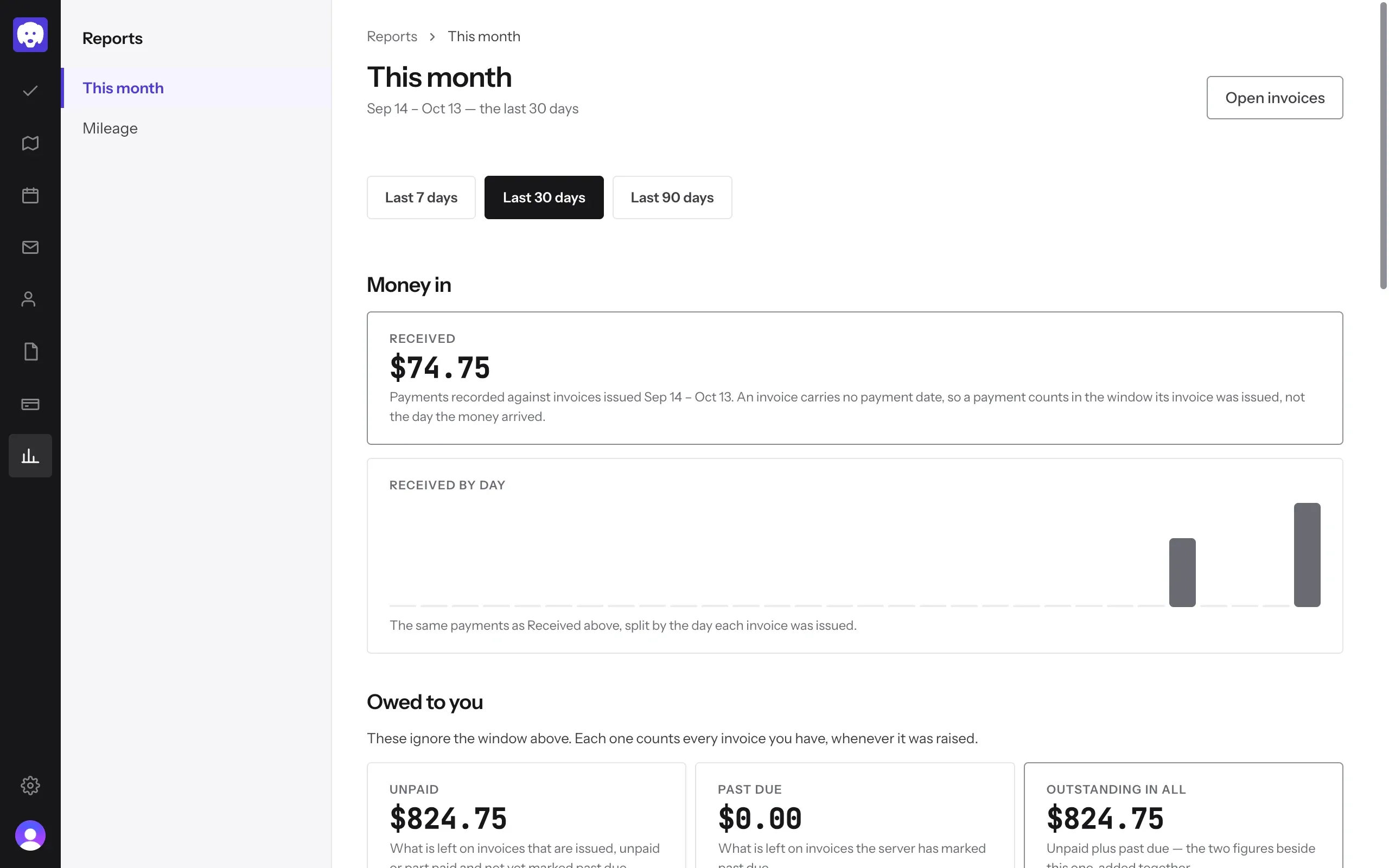
Click Reports in the left-hand bar, then This month. Choose Last 7 days, Last 30 days or Last 90 days. The dates you’re looking at show under the title.
Money in shows what you’ve been paid:
- Received: payments on invoices issued in those dates. A payment counts on the date its invoice was issued, not the day the money arrived.
- Received by day: the same payments as a chart, one bar for each day an invoice was issued.
Click Open invoices at the top right to go straight to your invoices.
See what you’re owed, and the work you’ve done
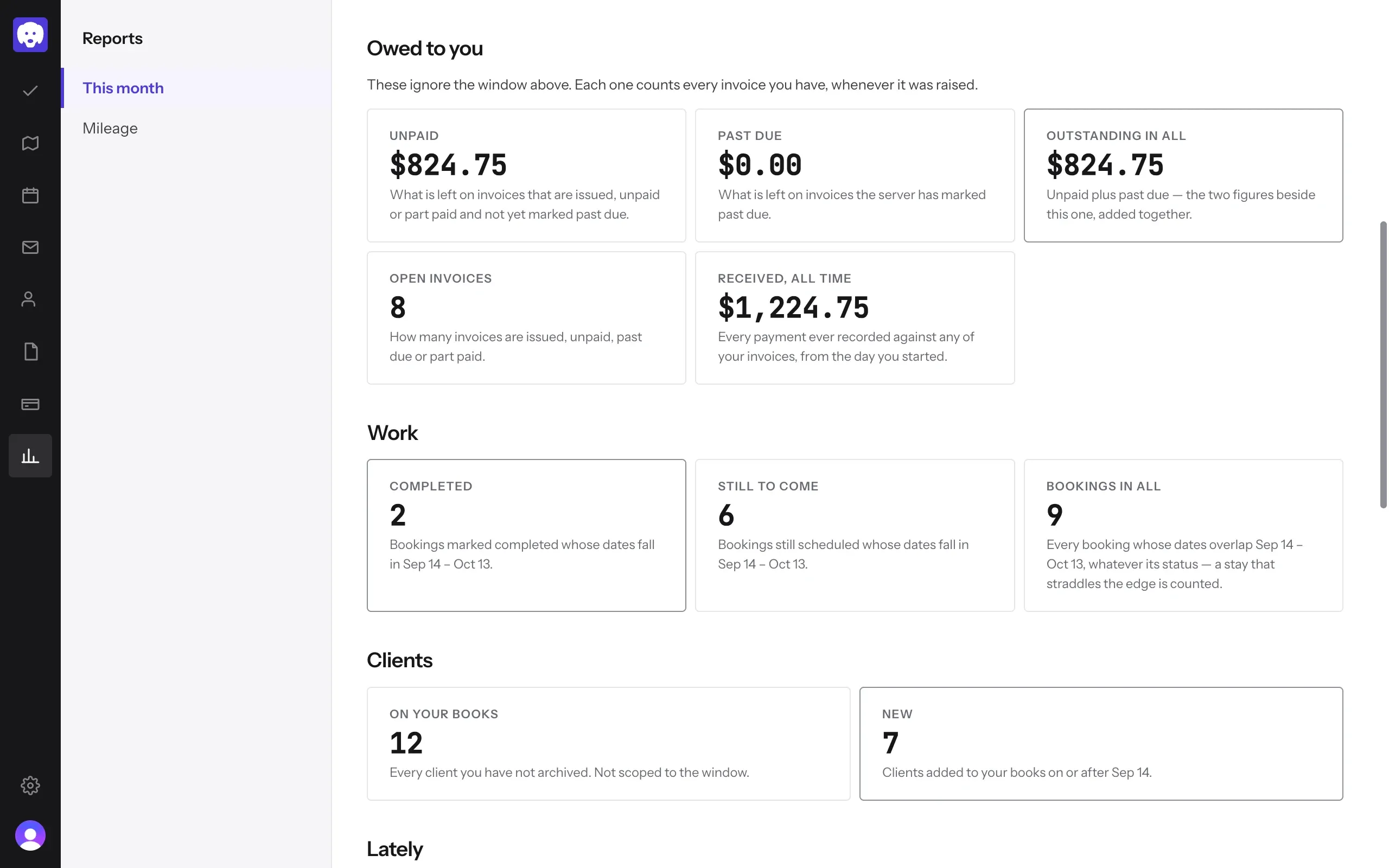
Owed to you counts every invoice you have, whatever dates you picked:
- Unpaid: what’s left on invoices that are sent, unpaid or part paid, and not yet past due.
- Past due: what’s left on invoices past their due date.
- Outstanding in all: unpaid and past due added together.
- Open invoices: how many invoices are still waiting to be paid.
- Received, all time: every payment you’ve recorded since you started.
Work counts bookings in the dates you picked: Completed, Still to come, and Bookings in all (whatever their status). Clients shows how many are On your books (everyone you haven’t archived) and how many are New in those dates.
Chasing money? Open Invoices and use the Unpaid and Past due chips to see who owes what. See send an invoice and get paid.
Catch up on what happened
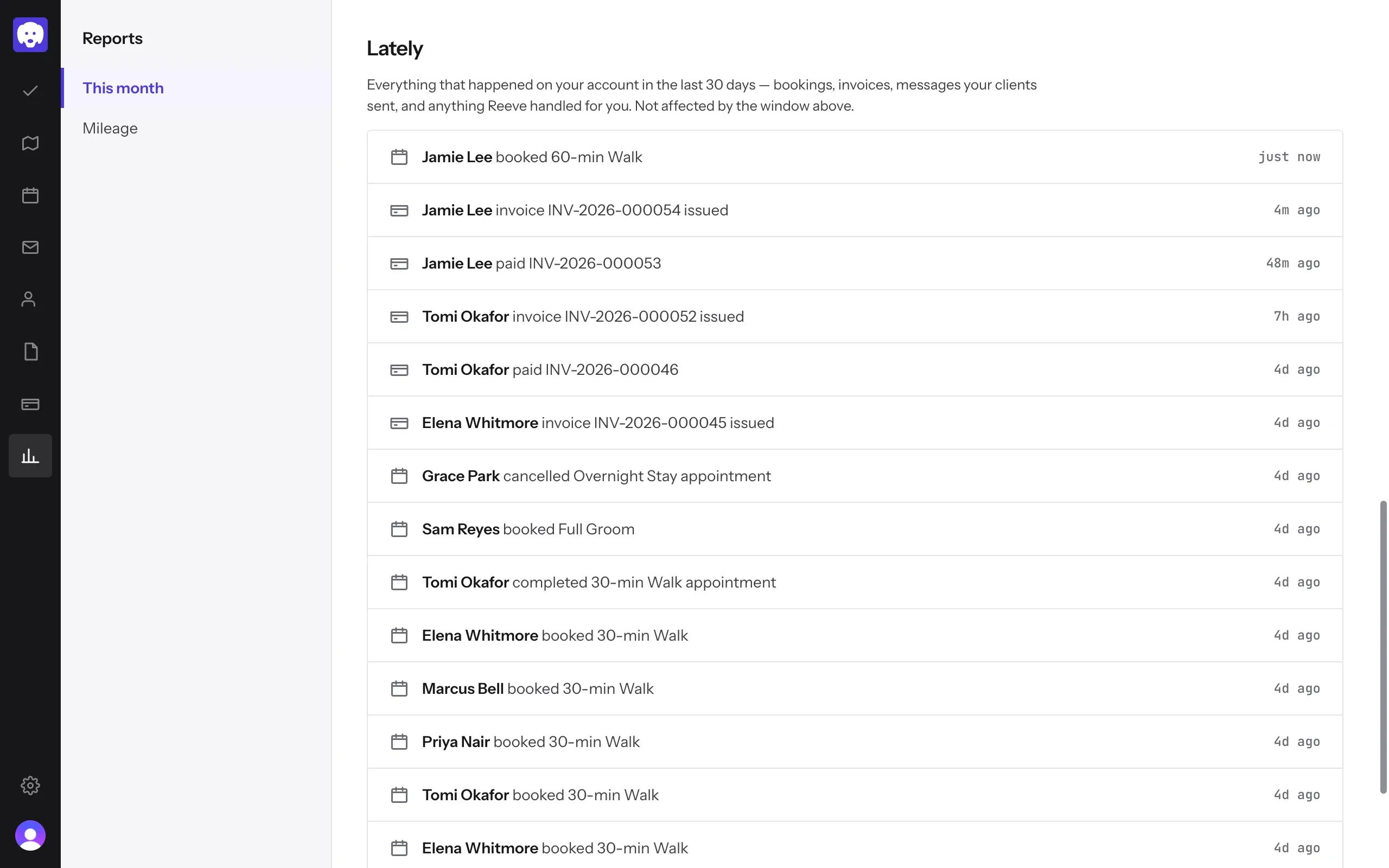
Lately lists everything on your account in the last 30 days, newest first: bookings, cancellations, completed visits, invoices issued and paid, messages from clients, and anything Reeve handled for you. It always covers the last 30 days, whatever dates you picked. Click Show more at the bottom to see older activity.
What’s next
Check your driving for the year in Reports → Mileage. See plan your route and track mileage.
Still stuck?
Email us and a person will help, or book a 15-minute call and we'll walk through it with you.
admin@reeve.pet