Add a client and their pets
Add a client with their contact details and address, then add their pet in the same go.
Time: About 2 minutes · Updated Oct 13, 2026
Before you start
- Nothing. A name and one way to reach them is enough to start.
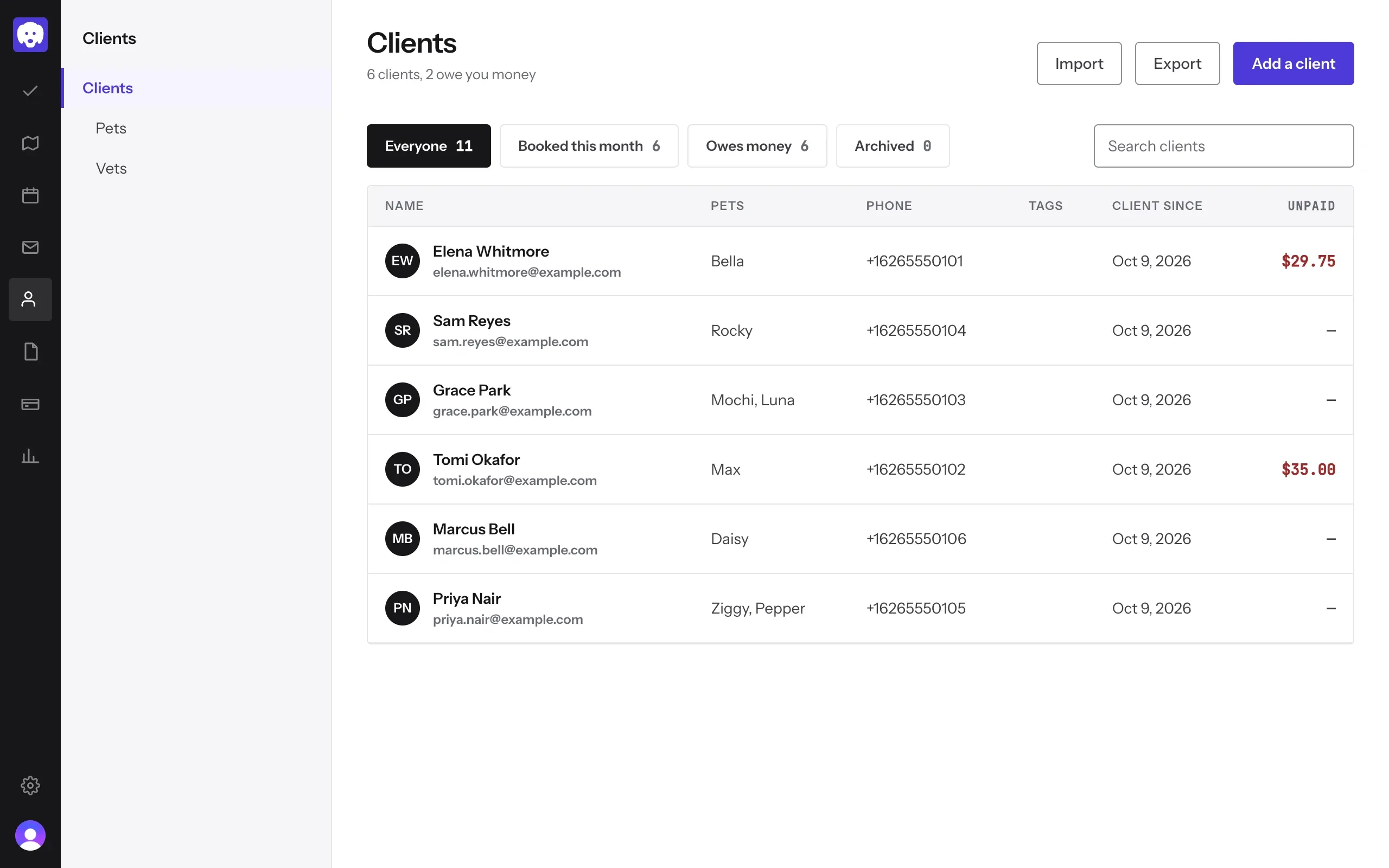
Open Clients
Click Clients in the left-hand bar, then Add a client at the top right. Moving from another tool? Import brings a whole client list in at once.
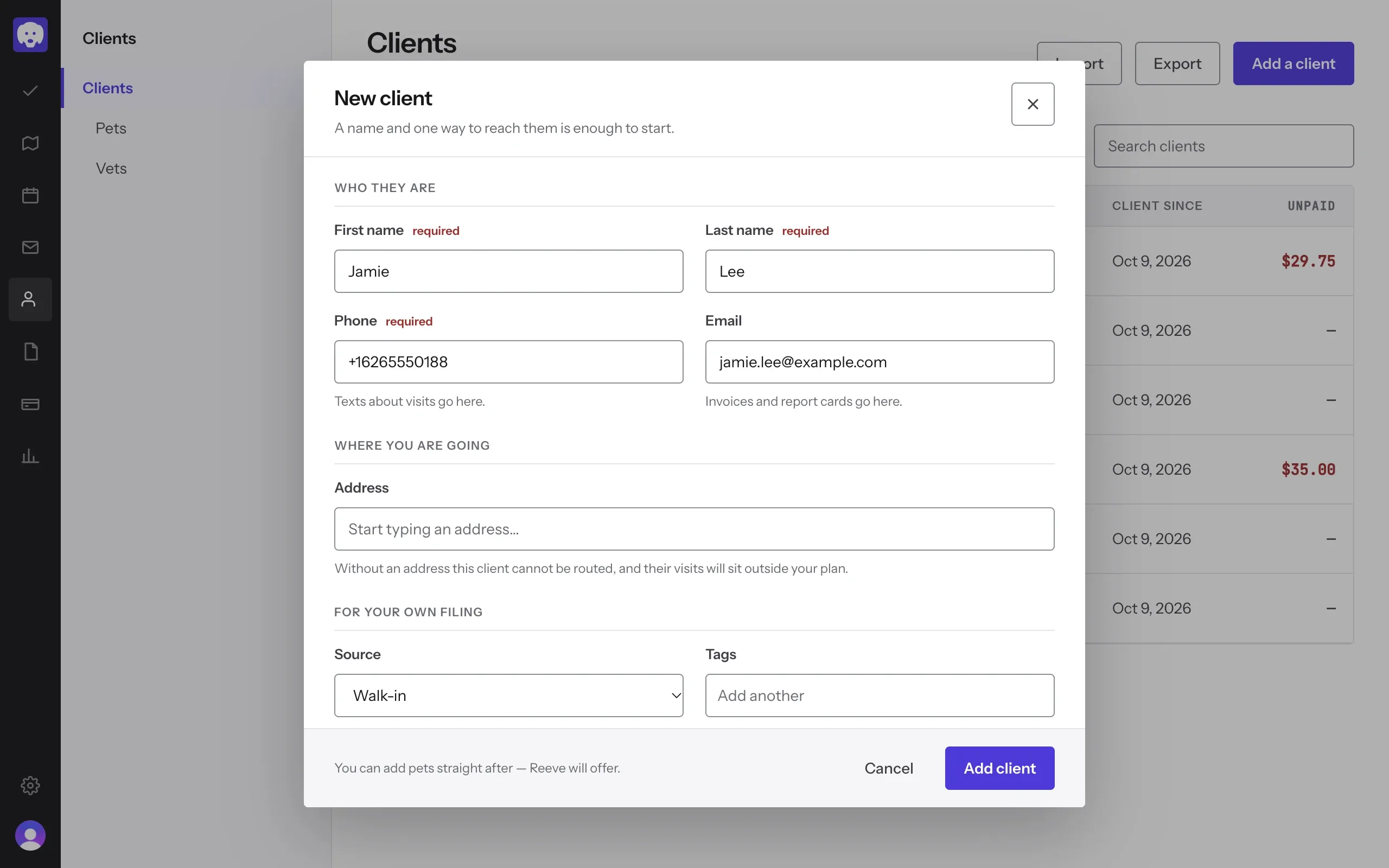
Who they are
Fill in First name, Last name and Phone; texts about visits go to that number. Add an Email if you have one: invoices and report cards go there.
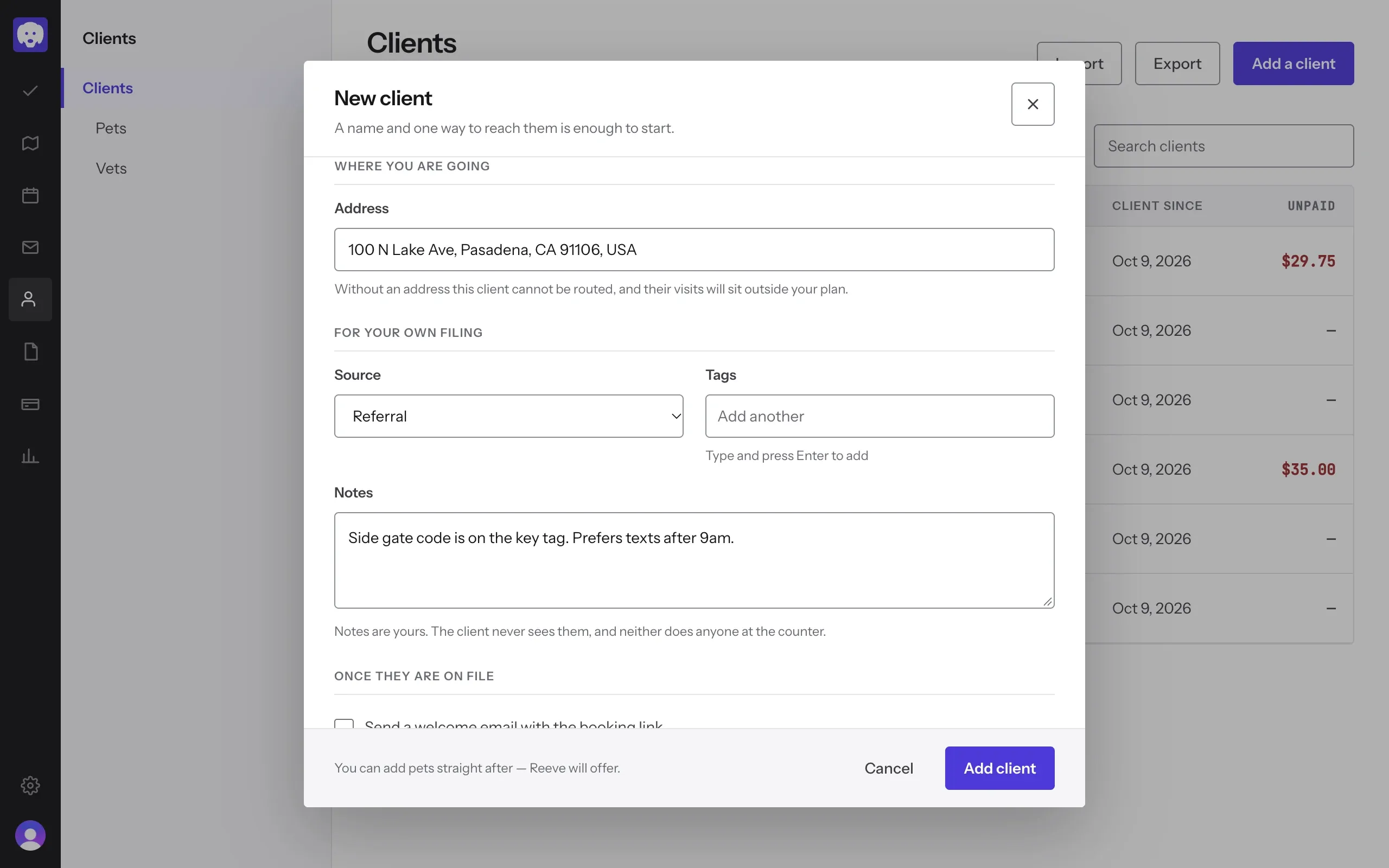
Where you’re going, and your own notes
Start typing the Address and pick it from the list. Without one, the client can’t be routed and their visits sit outside your plan.
Under For your own filing, set the Source (how they found you), add Tags, and write any Notes. Notes are yours: the client never sees them.
At the bottom, tick Add a pet straight after. Send a welcome email with the booking link is ticked for you when they have an email; untick it if you’d rather not. Then click Add client.
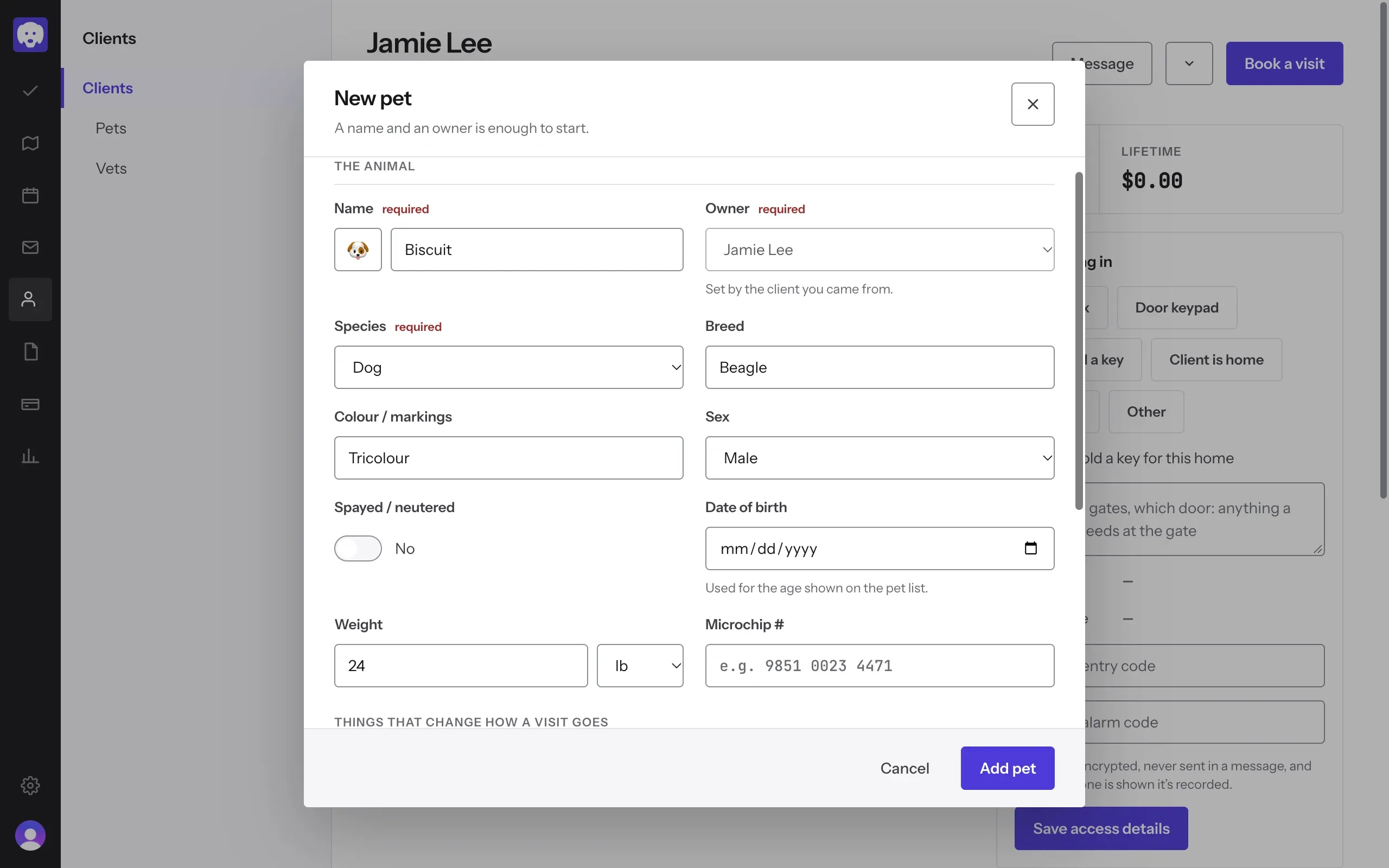
Add their pet
The New pet form opens with the owner already set. Fill in Name and Species, and whatever else you know: Breed, Colour / markings, Sex, Spayed / neutered, Date of birth, Weight and Microchip #. Further down, Allergies, Primary vet and Notes cover anything that changes how a visit goes.
Click Add pet.
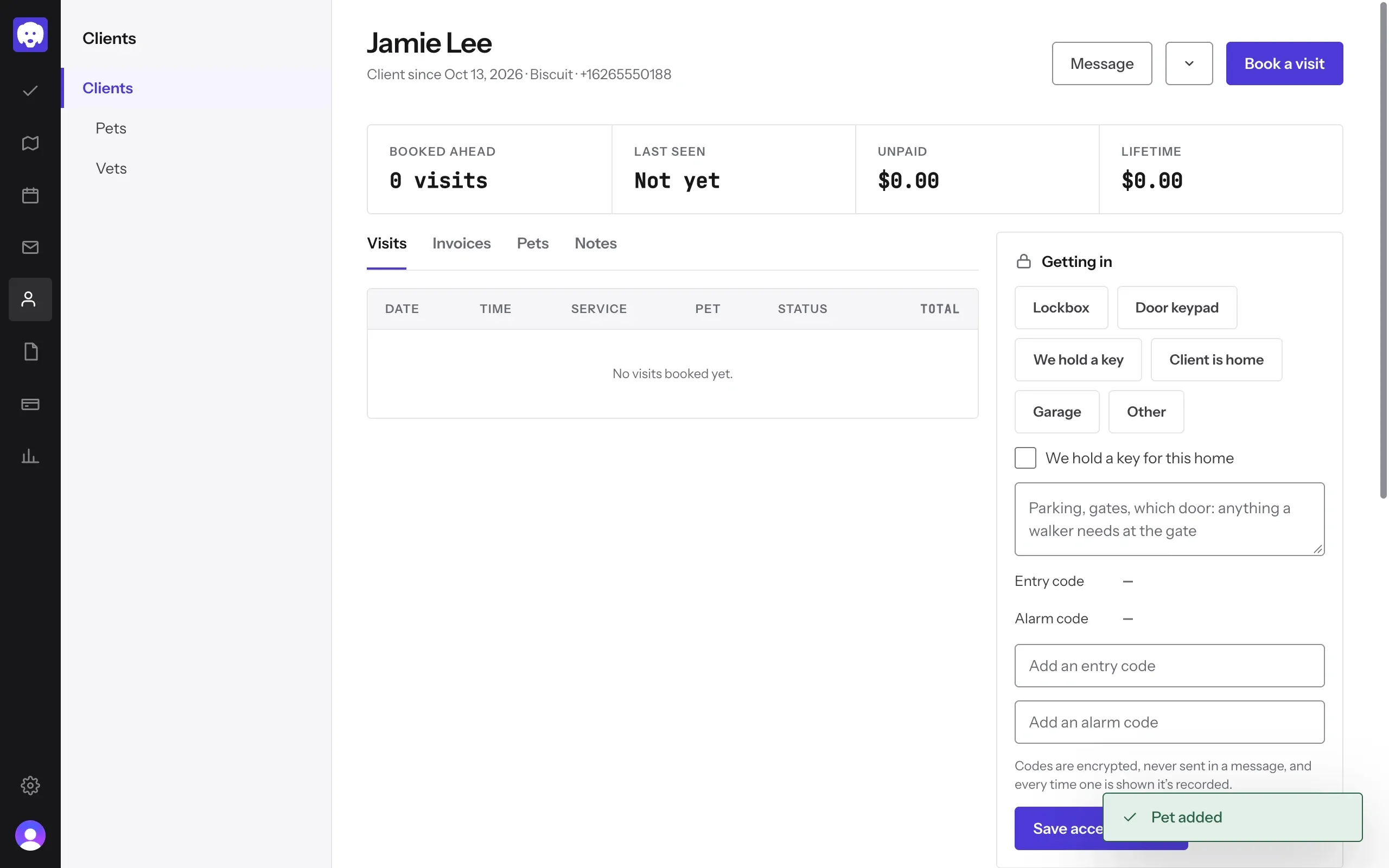
Check the client’s page
You land on the client’s page, with their visits, invoices, pets and notes. Getting in on the right holds lockbox, keypad and alarm details for the walker at the door. Codes are encrypted and never sent in a message.
What’s next
Click Book a visit on this page to take a booking.
Still stuck?
Email us and a person will help, or book a 15-minute call and we'll walk through it with you.
admin@reeve.pet