Install Reeve on your phone
Reeve sits on your home screen with its own icon. There's no app store and nothing to download.
Time: Under a minute · Updated Oct 13, 2026
Before you start
- Your phone, signed in to Reeve at app.reeve.pet.
Find Install app
Reeve runs in your browser, so you install it from inside Reeve itself. On a computer, click Settings in the left-hand bar, then Install app. If your browser can install it, you’ll see an Install Reeve button.
The phone you take on visits is the one that matters most, so do the next steps there.
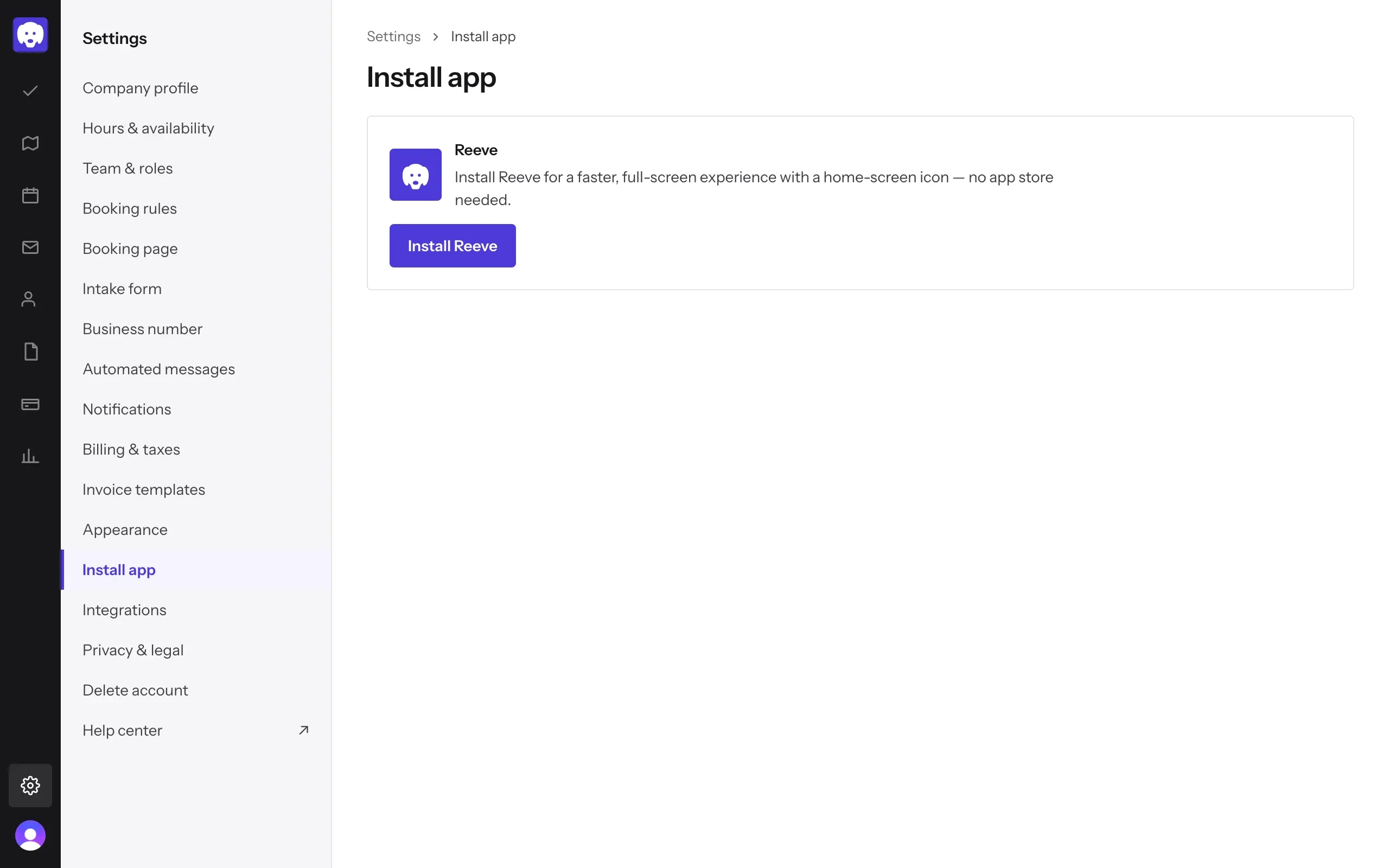
On a computer, use Chrome or Edge to install Reeve as a desktop app. In any other browser Reeve works just the same, with no install needed.
Open the Me tab on your phone
Open app.reeve.pet on your phone and sign in. Along the bottom are your tabs: Today, Schedule, Messages, Clients and Me. Tap Me, then tap Install app.
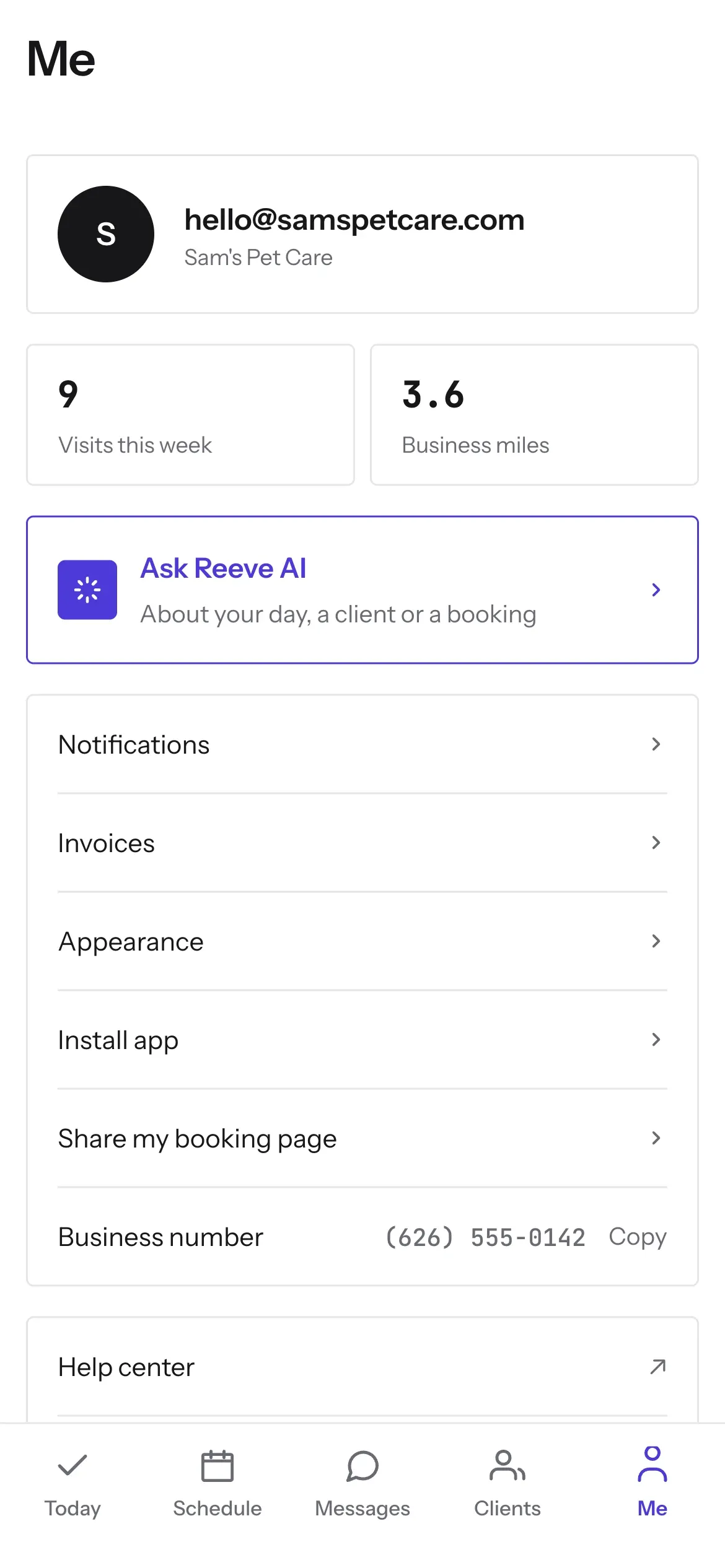
On iPhone: add it from Safari
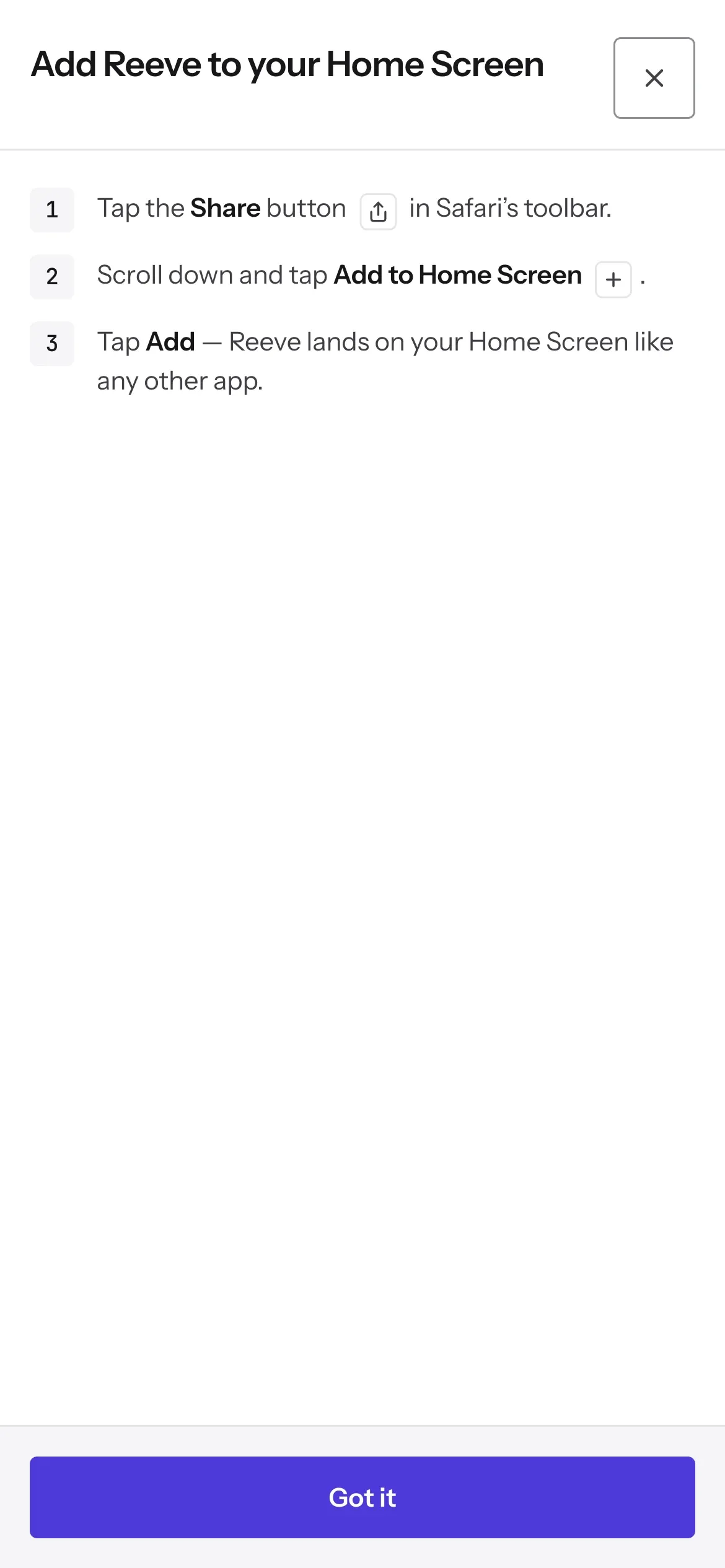
Open Reeve in Safari. On the Install app screen, tap Add to Home Screen and Reeve shows you the three taps:
- Tap the Share button in Safari’s toolbar.
- Scroll down and tap Add to Home Screen.
- Tap Add.
Tap Got it to close the steps. Reeve now sits on your Home Screen like any other app. The same works on an iPad.
Using Chrome or another browser on your iPhone? Open Reeve in Safari first. That’s where Add to Home Screen lives.
On Android: install it from Chrome
Open Reeve in Chrome. On the Install app screen, tap Install Reeve, then confirm when Chrome asks. Reeve’s icon appears on your home screen.

If the button doesn’t respond yet, Reeve will tell you the browser isn’t ready. Use the page for a moment, then try again. You can also open Chrome’s menu and tap Install app or Add to Home screen.
What’s next
Once Reeve is on your phone, run your day from it: start and finish a visit from Today.
Still stuck?
Email us and a person will help, or book a 15-minute call and we'll walk through it with you.
admin@reeve.pet