Send an intake form
New clients fill in their pet's details on their own phone, and the answers land on their record.
Time: About five minutes · Updated Oct 13, 2026
Before you start
- A client to send it to.
Turn the form on
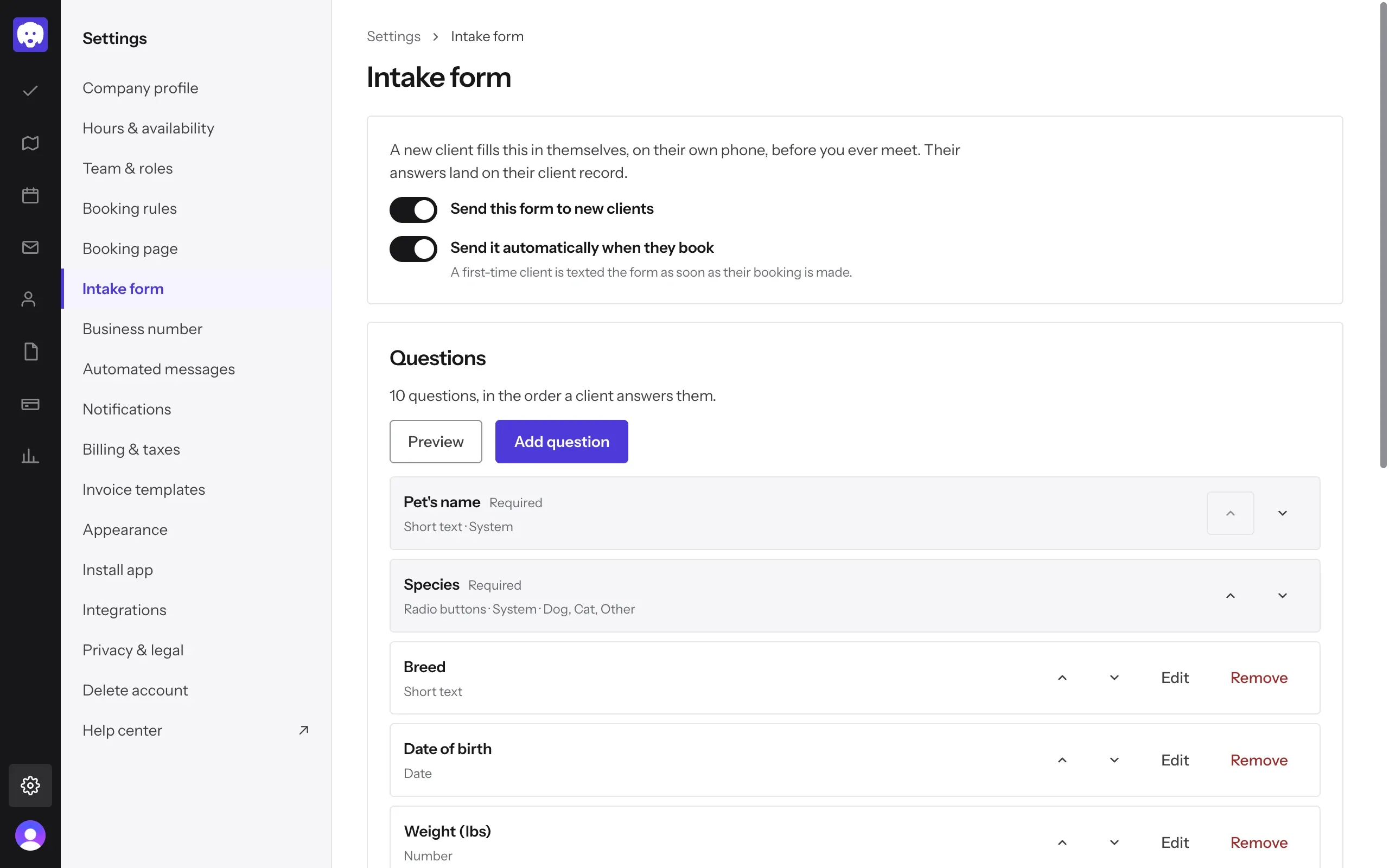
Go to Settings → Intake form. Switch on Send this form to new clients.
Switch on Send it automatically when they book too, and a first-time client gets the form by text as soon as their booking is made. You don’t have to remember.
Under Questions is the form your clients see. It starts with questions like Pet’s name, Species, Breed, Vaccinations up to date? and Emergency contact. Use the arrows to change the order, or Edit and Remove to change a question. Click Preview to see the form the way a client does.
Add your own questions
Click Add question. Type the Label, pick a Field type (short or long text, a number, a date, a dropdown, a yes or no, a file upload and more) and switch on Required if they must answer it. Help text appears under the question to guide your client.
What the client will see shows the question as you build it. Click Add question to save it.
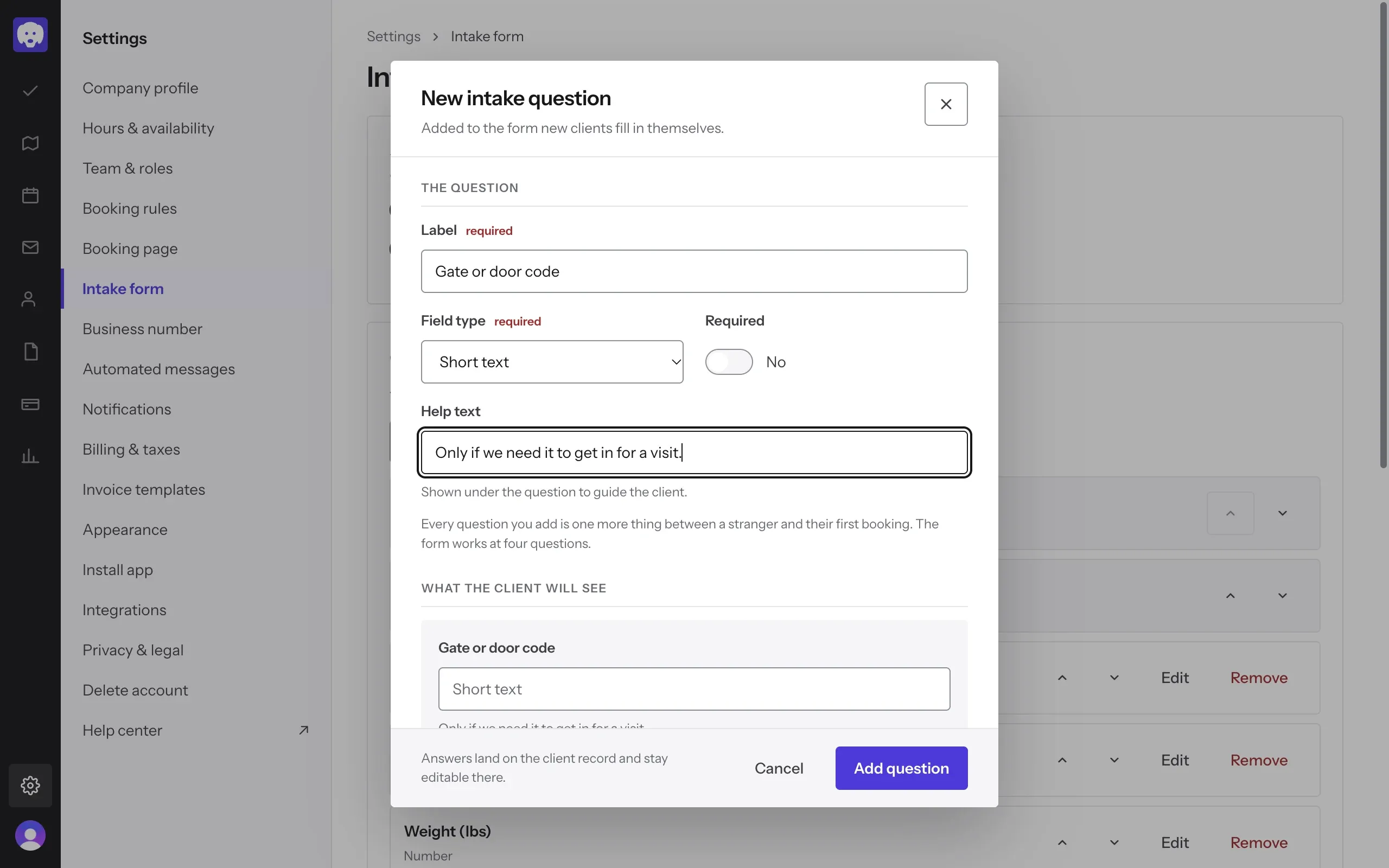
Keep it short. Every extra question is one more thing between a new client and their first booking.
Send it to a client
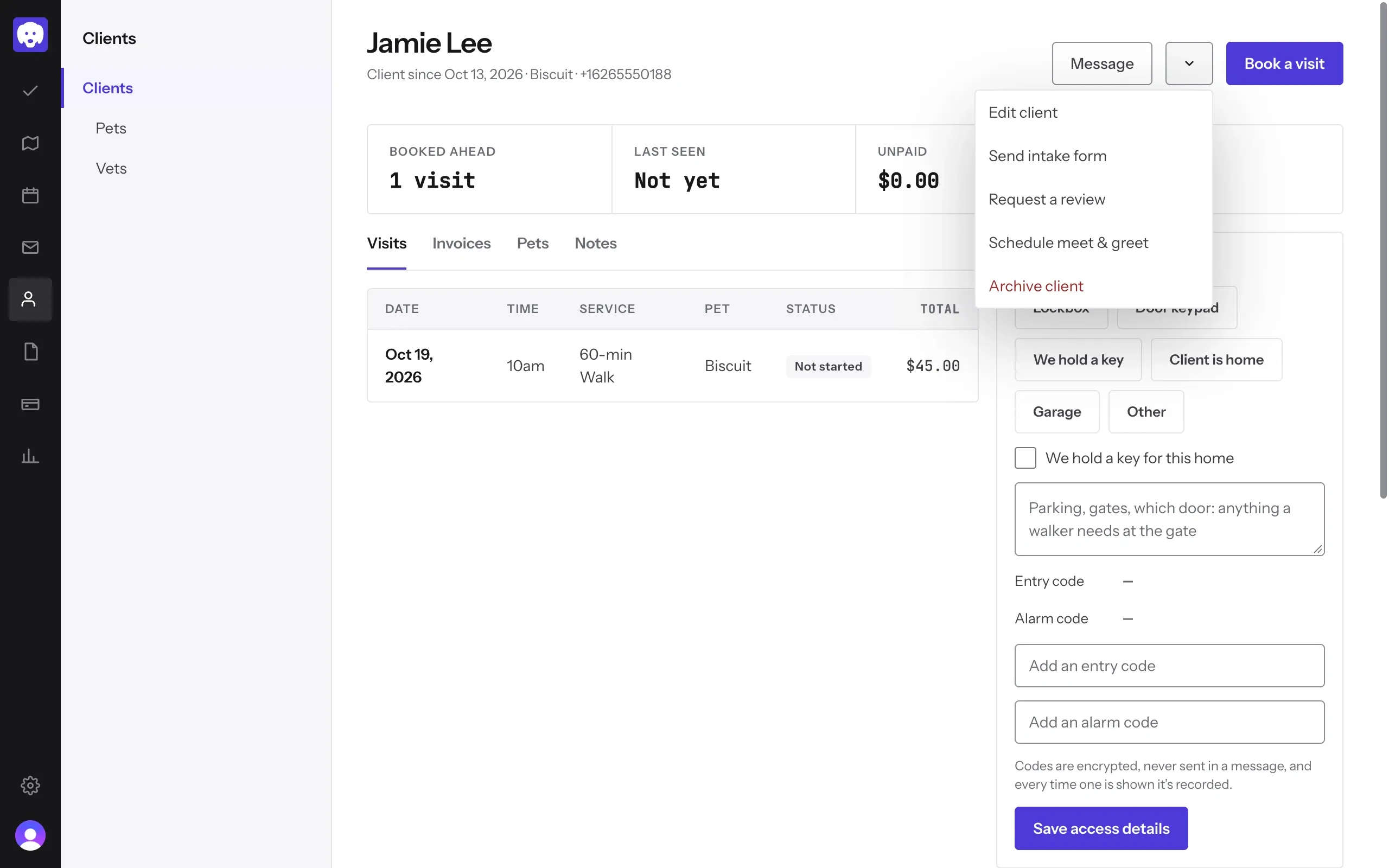
Open the client in Clients, click the arrow next to Message, and choose Send intake form. Reeve texts them a link to the form. If texts aren’t set up yet, it emails it instead.
You can also send it from a booking: open the booking and choose Send intake from its menu.
See where it’s up to
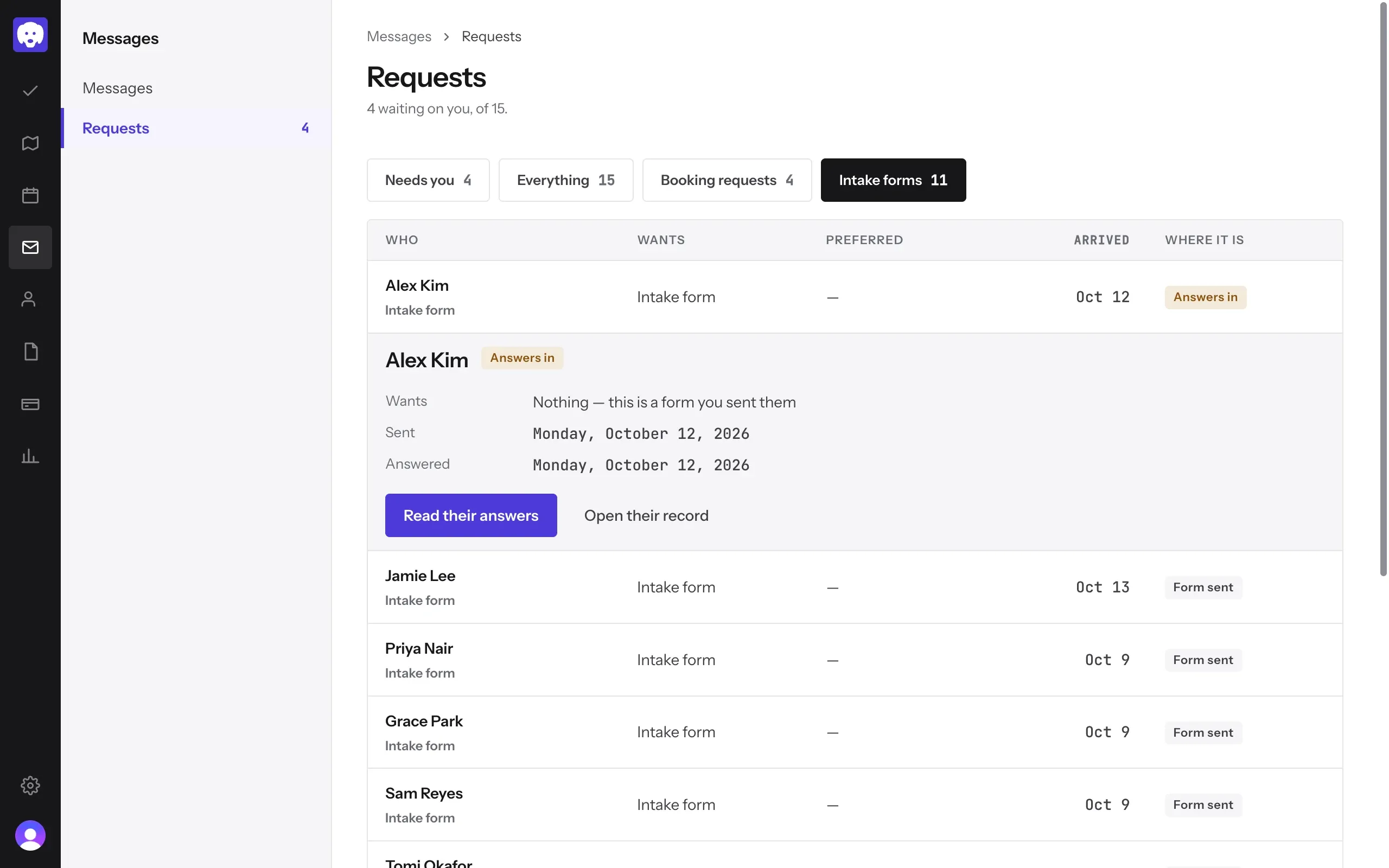
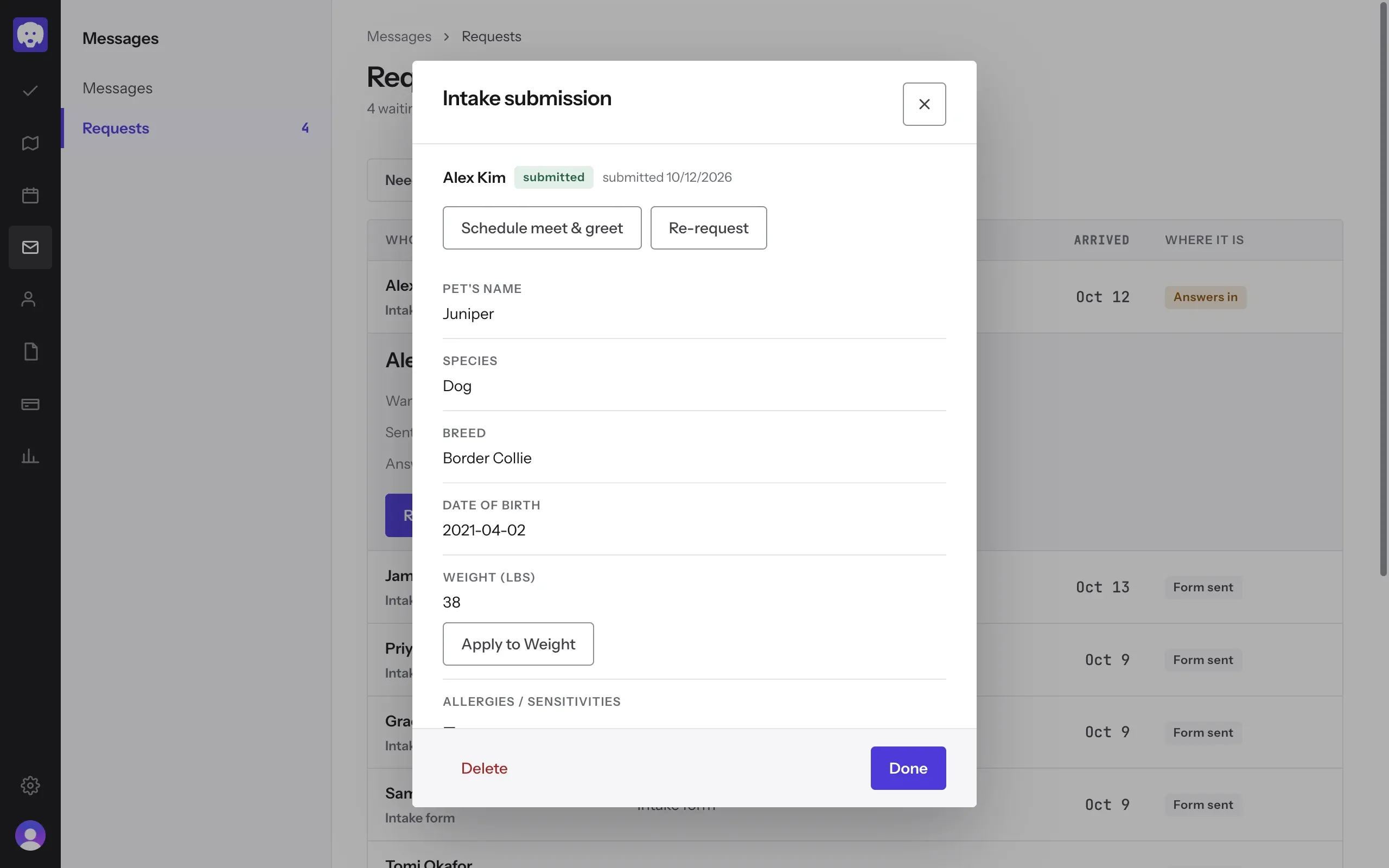
Go to Messages → Requests and click Intake forms. Where it is shows each form as Form sent, Form opened or Answers in.
Click a row to see when it was sent and answered, then Read their answers or Open their record.
Read the answers
Each answer is listed under its question. Click Apply to next to an answer, like Apply to Weight, to copy it onto the client’s or pet’s record.
From here you can also Schedule meet & greet, or Re-request the form if something’s missing.
What’s next
Once you know the pet, take a booking.
Still stuck?
Email us and a person will help, or book a 15-minute call and we'll walk through it with you.
admin@reeve.pet