Add a service
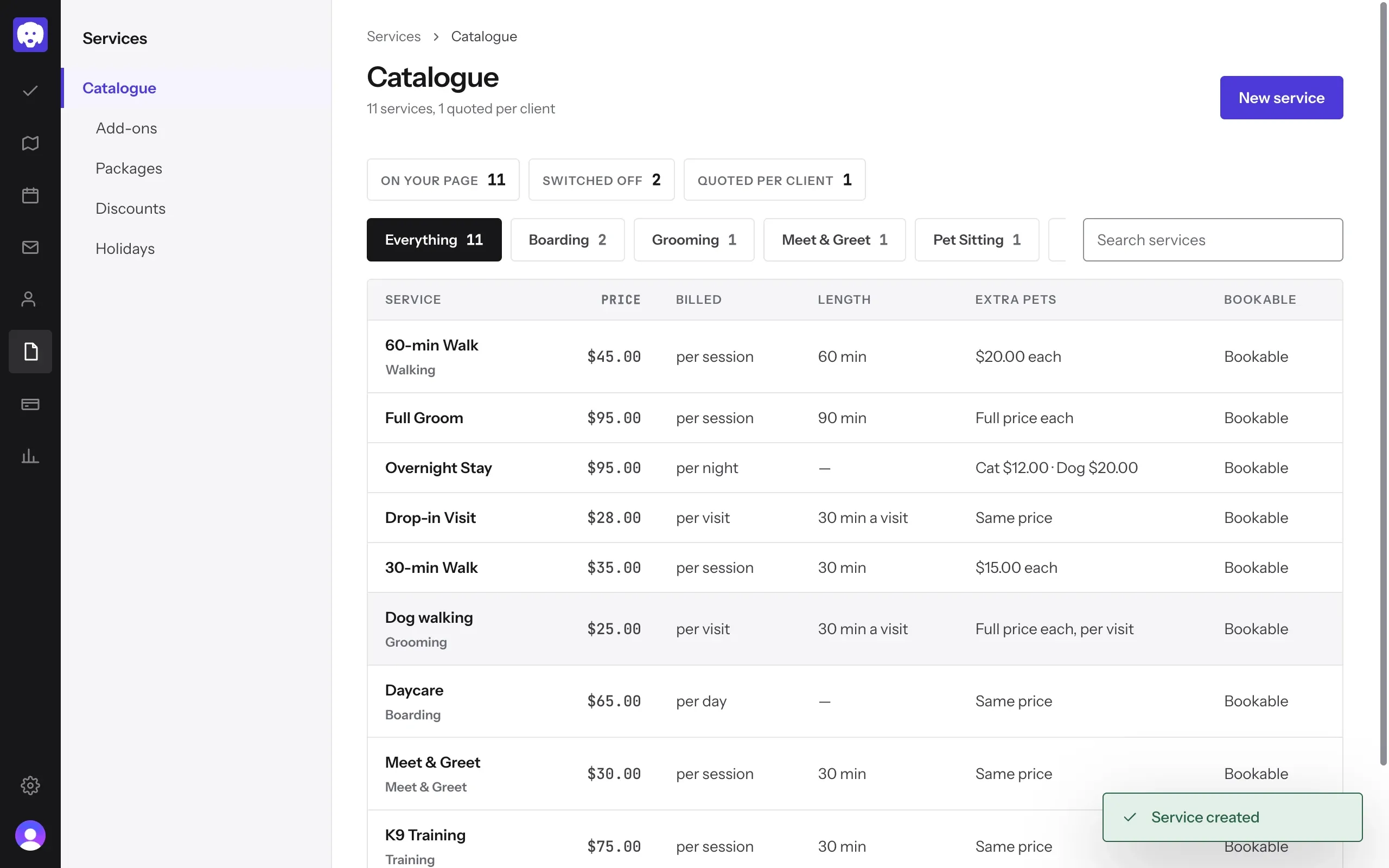
Add a service to your catalogue, with its price and billing unit. Saving it puts it on your booking page.
Time: About 2 minutes · Updated Oct 13, 2026
Before you start
- Set up your business, so the service shows under the right name.
Open your catalogue
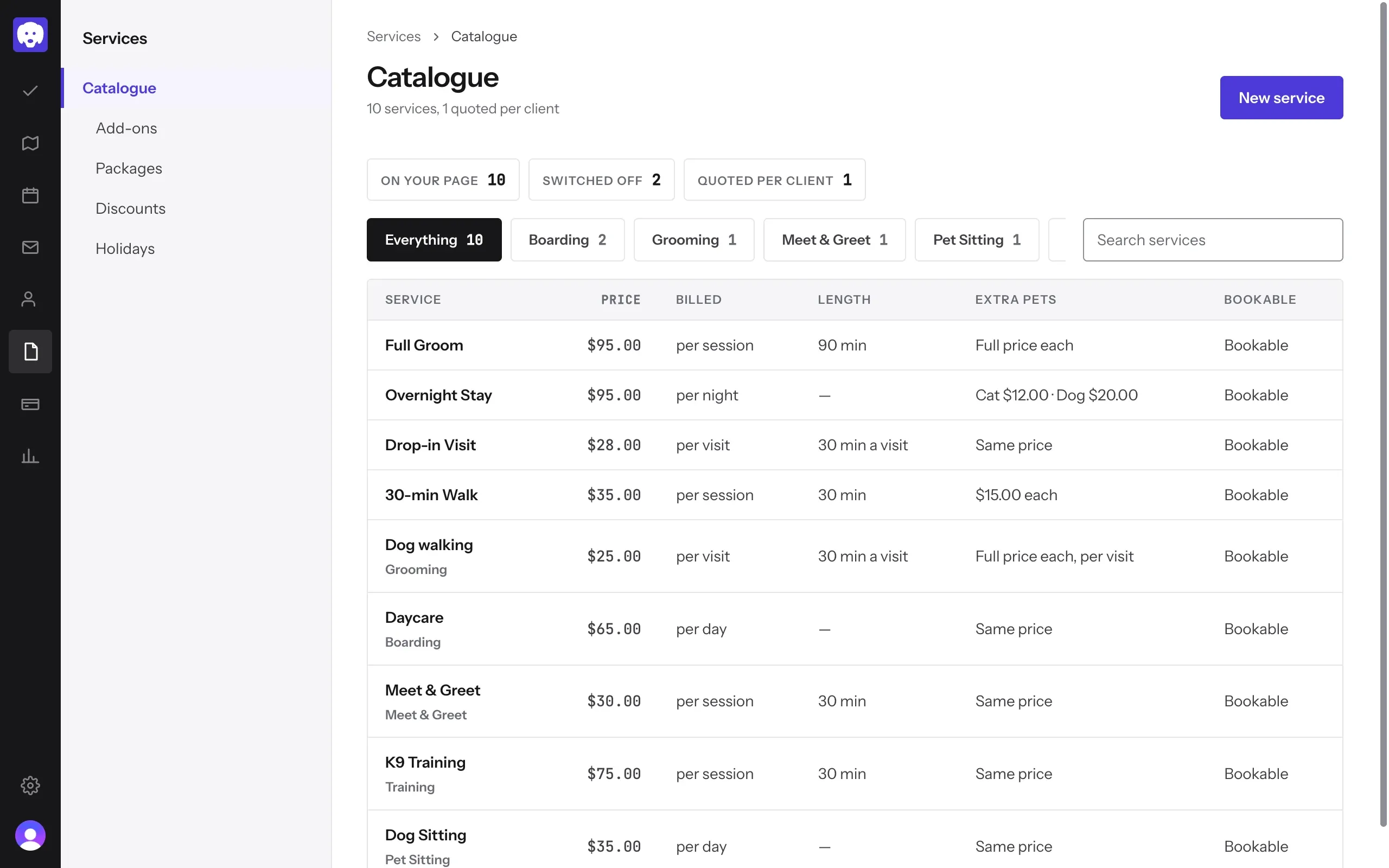
Click Services in the left-hand bar. Your Catalogue lists every service with its price, how it’s billed and its length. Click New service.
Name it and set the price
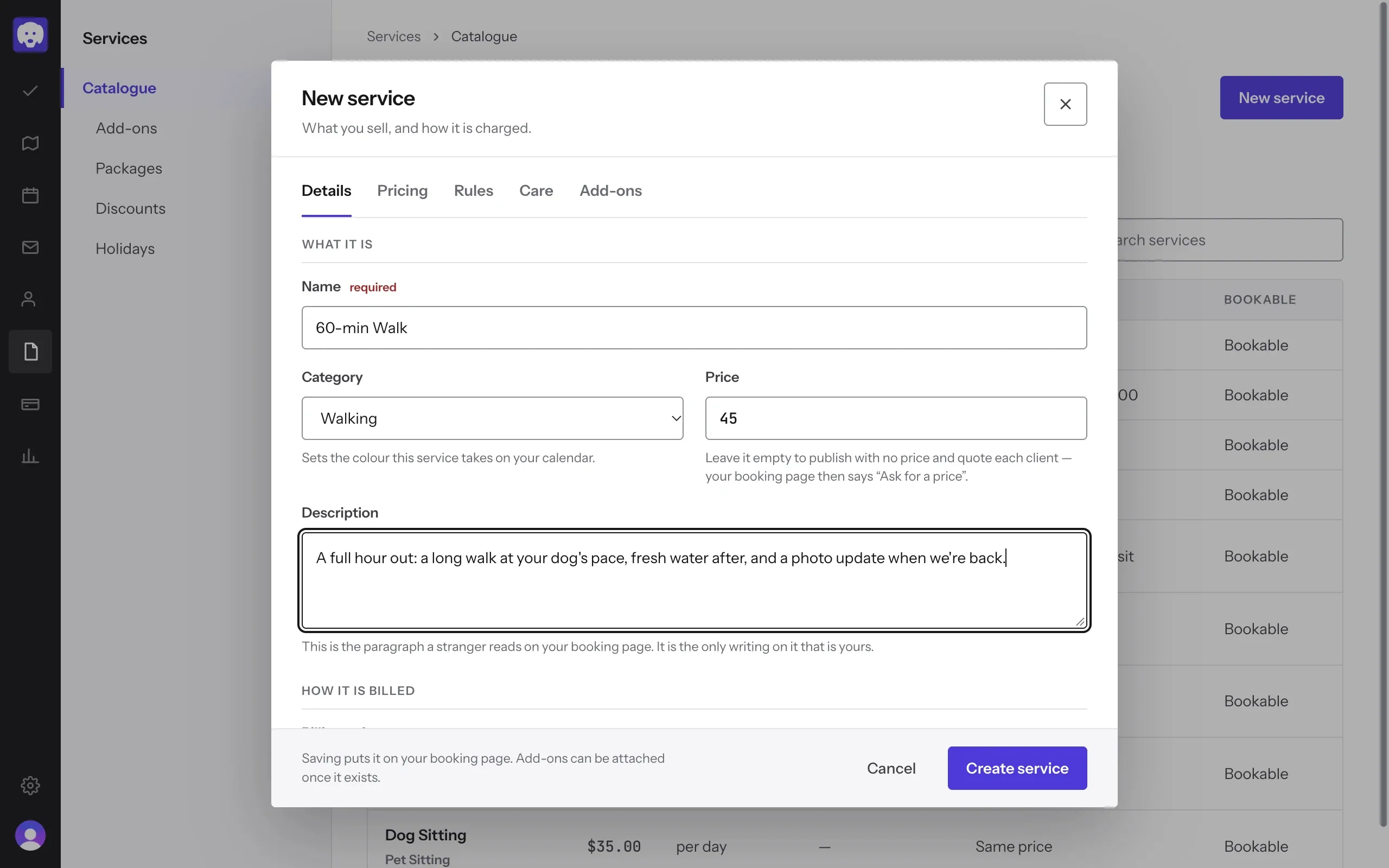
On the Details tab, fill in What it is:
- Name, like “60-min Walk”.
- Category sets the colour it takes on your calendar.
- Price. Leave it empty to quote each client instead; your booking page then says “Ask for a price”.
- Description is the paragraph clients read on your booking page.
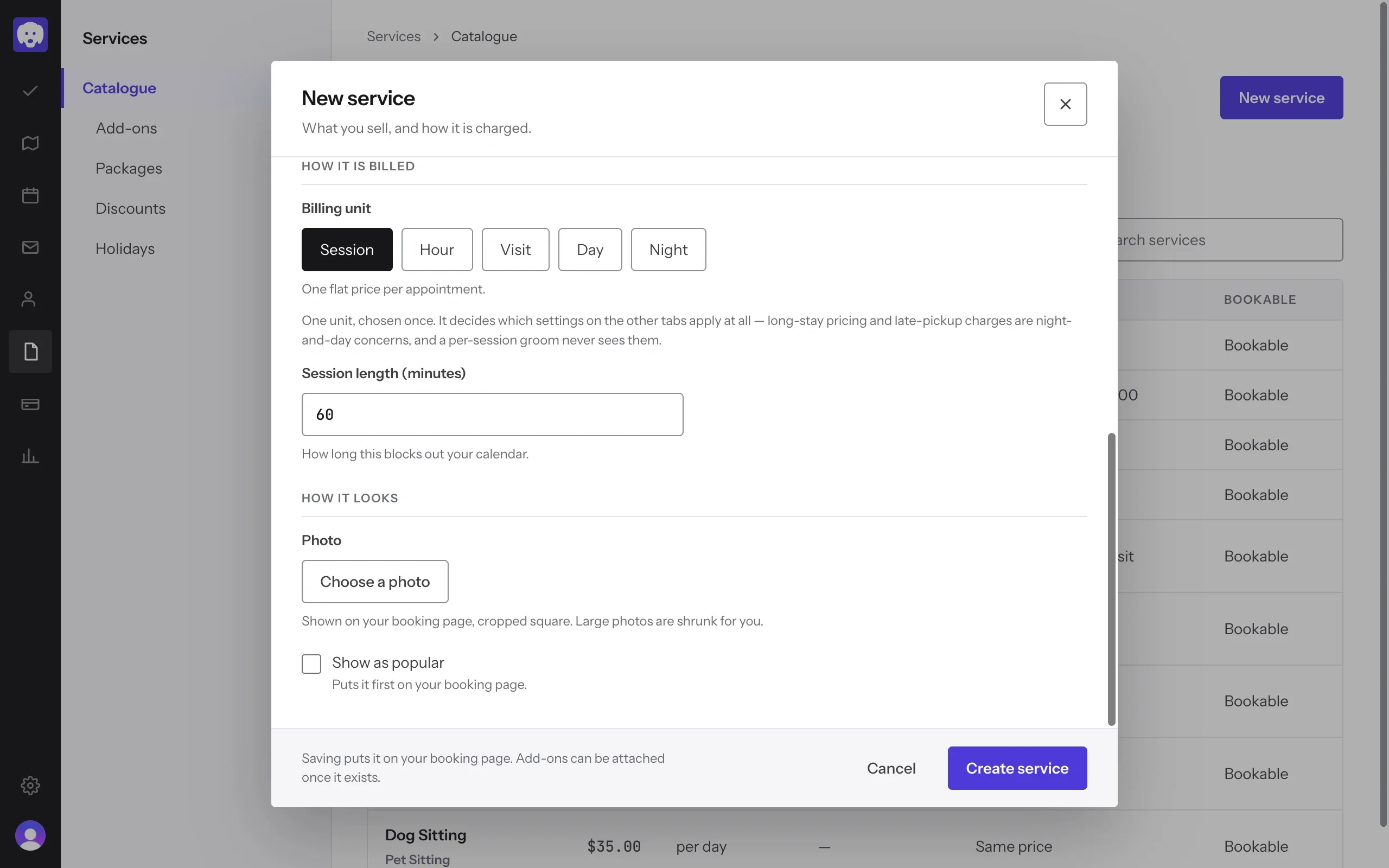
Choose how it’s billed
Scroll to How it is billed and pick the Billing unit: Session, Hour, Visit, Day or Night. Set the length, which blocks out your calendar. Under How it looks you can add a Photo and tick Show as popular to put it first on your booking page.
Set the price for more than one pet
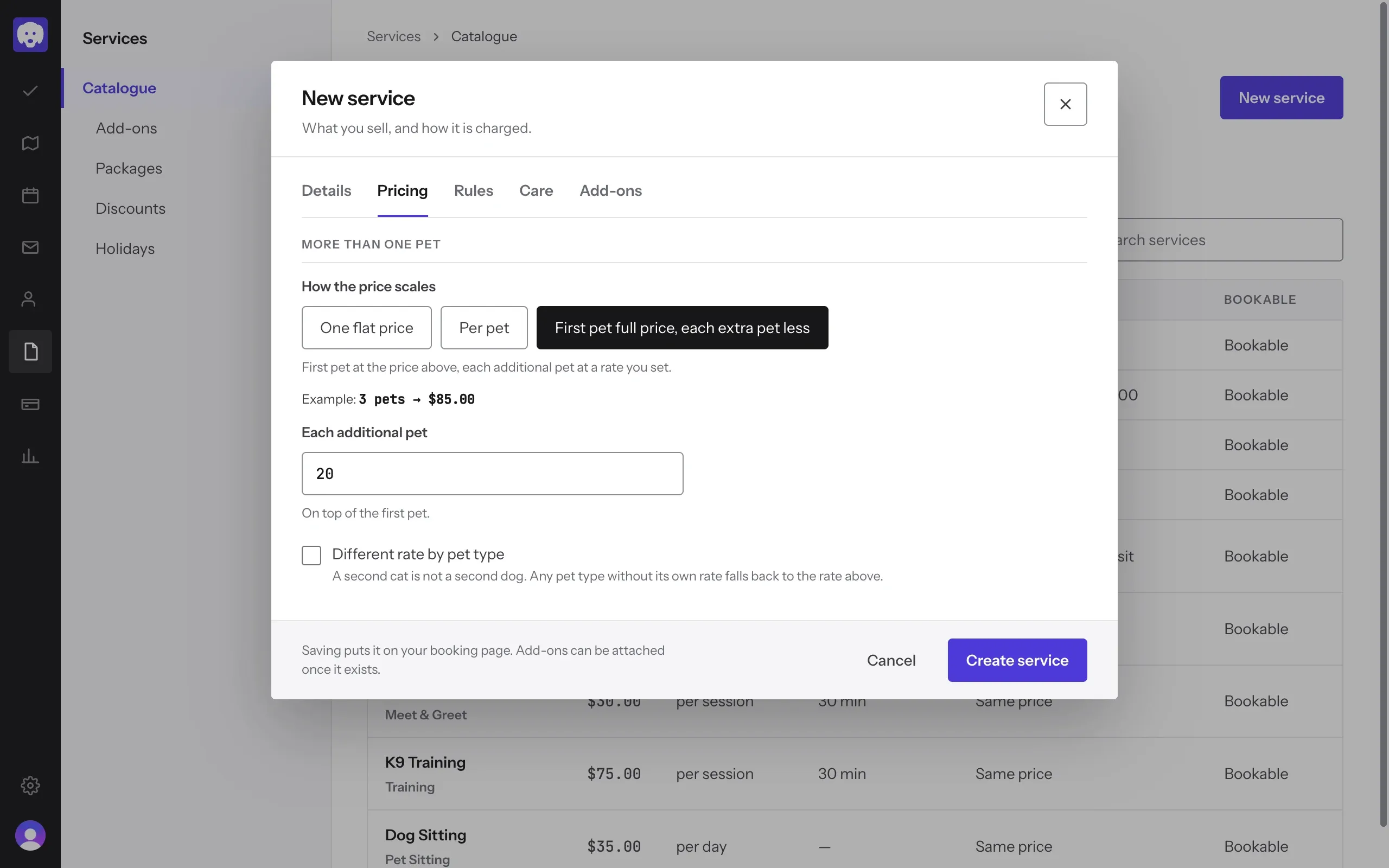
Open the Pricing tab. Under How the price scales, choose:
- One flat price for the whole booking, however many pets.
- Per pet, the full price for each pet.
- First pet full price, each extra pet less, then enter the rate for Each additional pet.
Reeve shows a worked example, like “3 pets → $85.00”, so you can check it.
The Rules tab has the rest: whether you travel to the client, tracking drop-off and pickup, and recording the route with GPS.
Save it
Click Create service. It’s added to your catalogue and your booking page straight away.
What’s next
Still stuck?
Email us and a person will help, or book a 15-minute call and we'll walk through it with you.
admin@reeve.pet