Collect reviews
Clients leave a review from a link. Nothing goes public until you approve it.
Time: A few minutes · Updated Oct 13, 2026
Before you start
- Your booking page set up.
Copy your review link
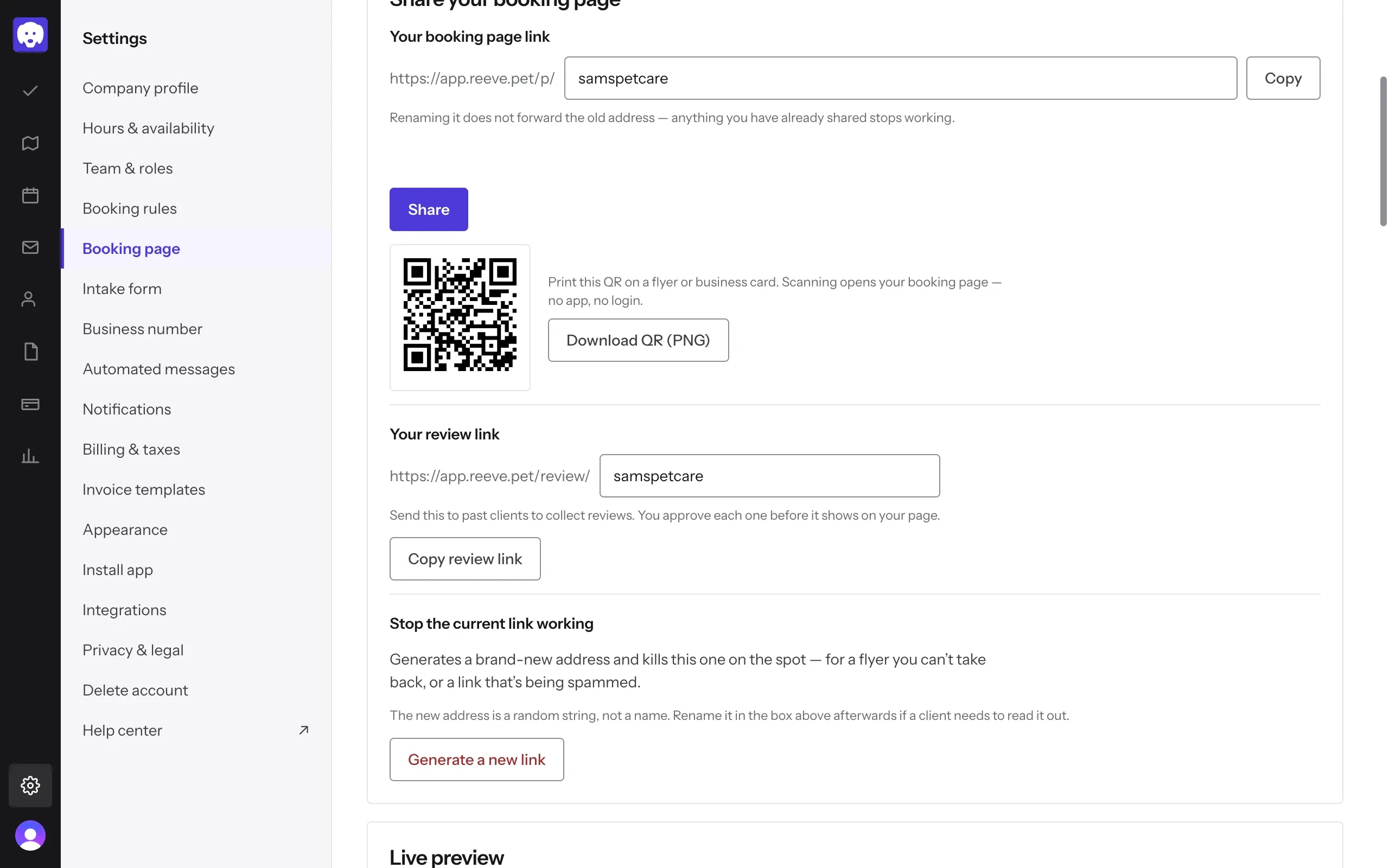
Go to Settings → Booking page. Under Share your booking page, find Your review link. It’s your booking page address with /review/ in it.
Click Copy review link and send it to past clients in a text or an email.
To send it to one client, open them in Clients, click the arrow next to Message and choose Request a review. Reeve sends them the link by text, or by email if texts aren’t set up yet.
What your client sees
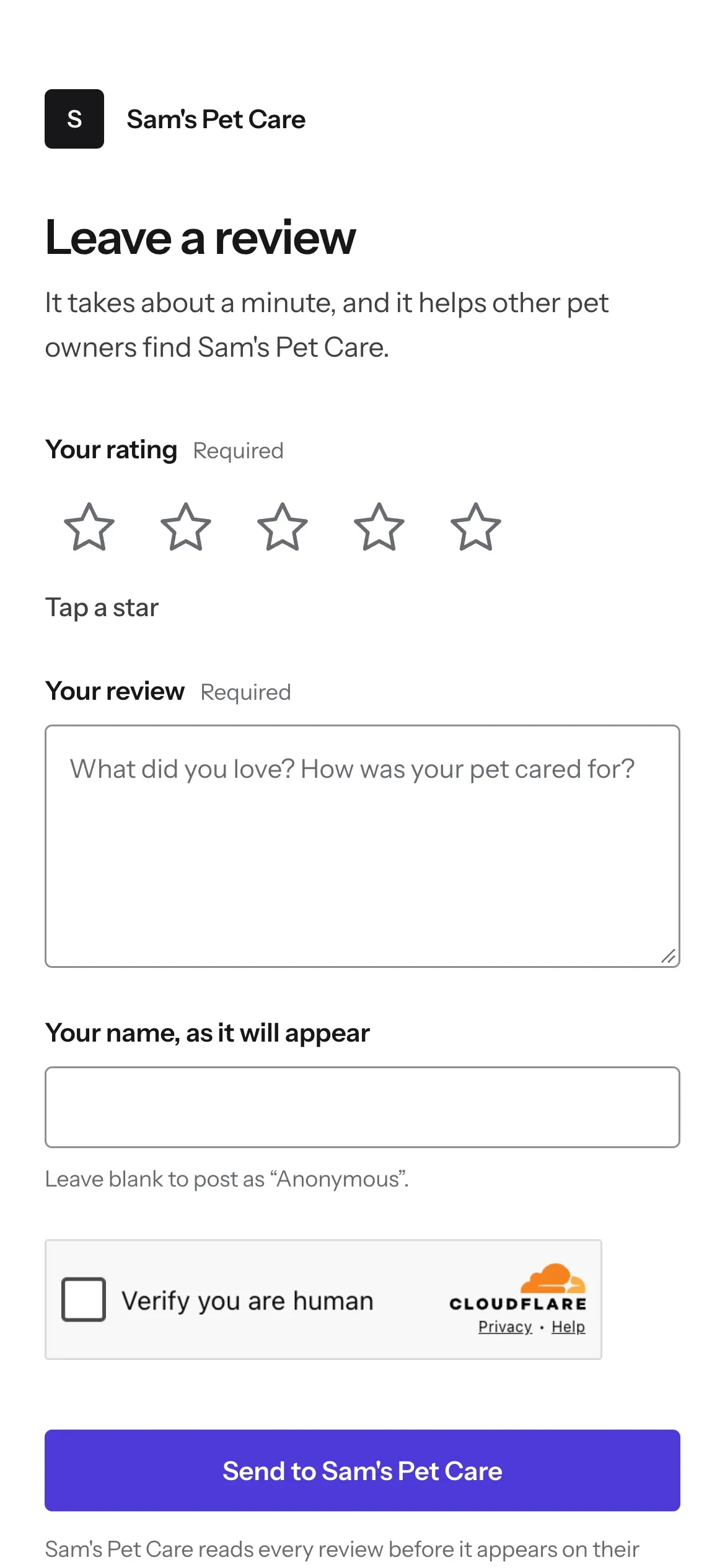
The link opens a short page with your business name at the top. Your client taps a star rating, writes Your review, and adds their name if they want it shown. Leave the name blank and it posts as “Anonymous”. They tap Send to your business to finish.
There’s nothing to download and no account to make. The page tells them you read every review before it appears.
Approve or hide each review
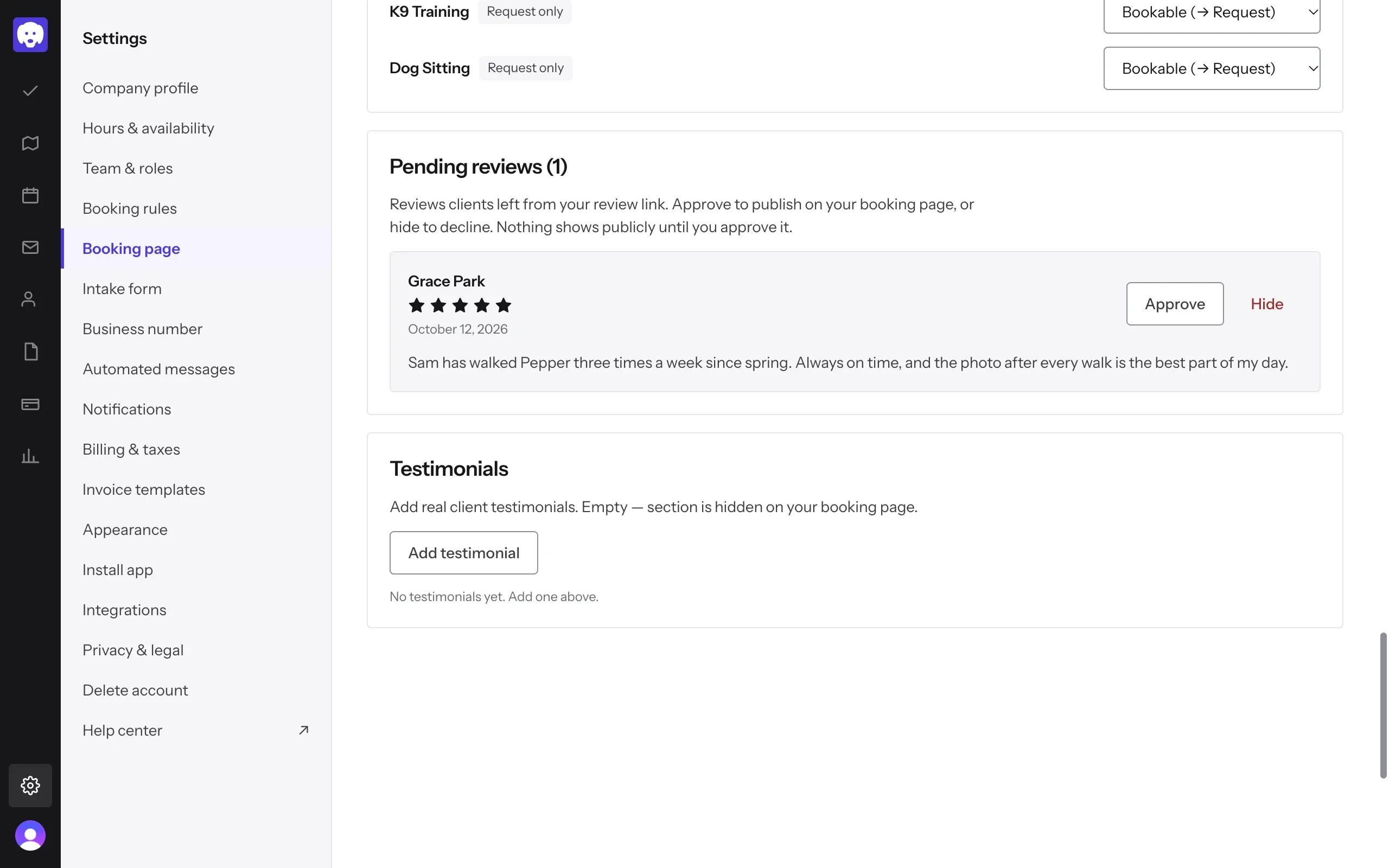
New reviews wait under Pending reviews, further down Settings → Booking page. Each one shows the client’s name, their stars, the date and what they wrote.
Click Approve to put it on your booking page. Click Hide to turn it down. A hidden review never shows.
It goes on your booking page
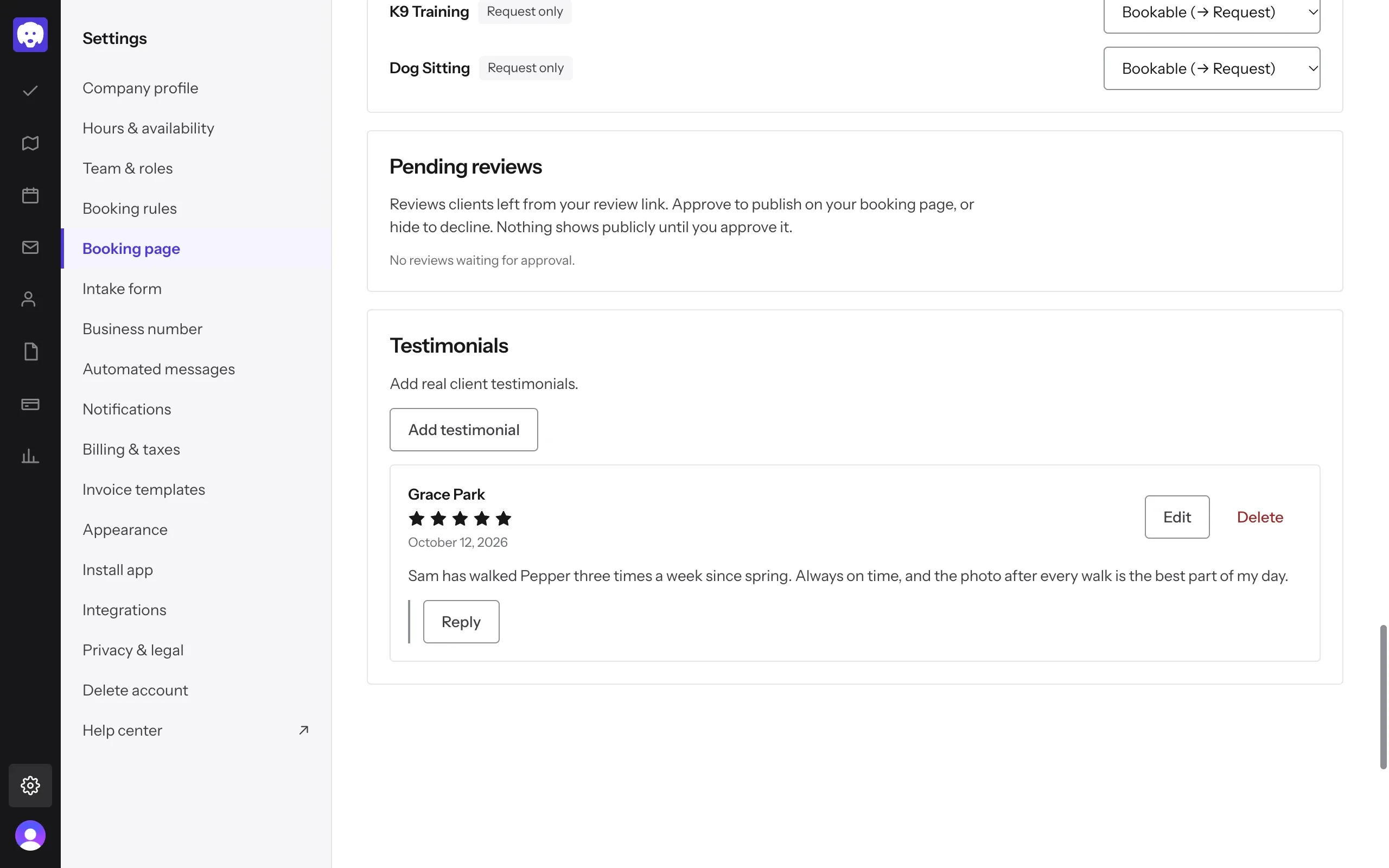
Approved reviews move to Testimonials and show in the reviews section of your booking page. From here you can Reply with a public answer, Edit the review or Delete it.
No reviews yet? Add testimonial lets you add kind words a client sent you some other way.
What’s next
More reviews help more clients find you. Share your booking page so they can book you too.
Still stuck?
Email us and a person will help, or book a 15-minute call and we'll walk through it with you.
admin@reeve.pet