Grow your business
Handle a booking request
Find a new request, see what the client wants, and turn it into a booking in one click.
Time: Under a minute · Updated Oct 13, 2026
Before you start
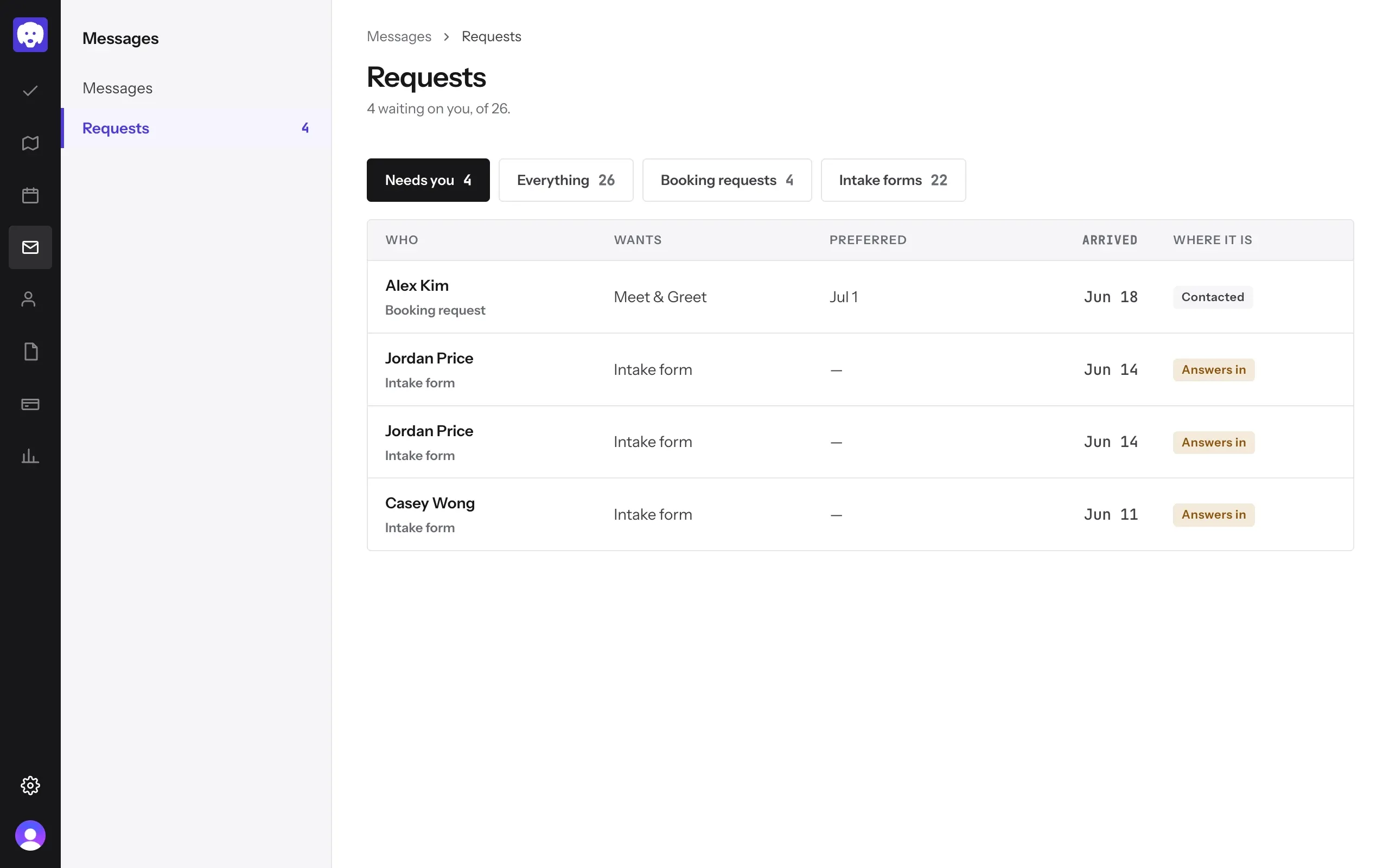
Open your requests
When a client sends a request, Reeve emails you and adds it to Messages → Requests. The number beside Requests is how many are waiting on you. Needs you shows those; Everything, Booking requests and Intake forms show the rest.
Open the request and decide
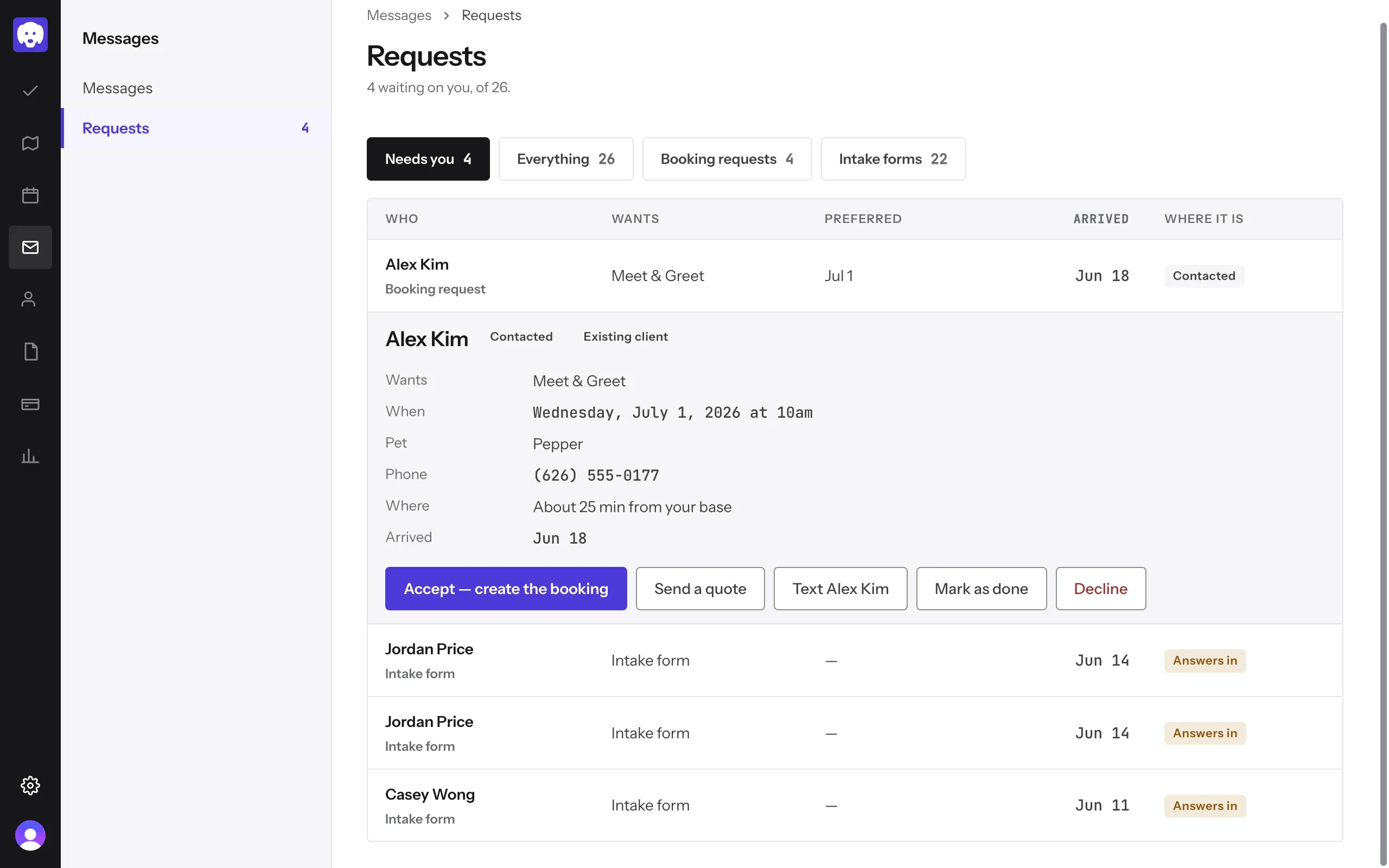
Click the request. You’ll see what they want, when, which pet, their phone number, and how far they are from you. Then:
- Accept — create the booking opens a new booking with everything filled in. Check it and click Create booking.
- Send a quote if the price depends on the job.
- Text the client to ask a question first.
- Mark as done if you’ve handled it another way.
- Decline if you can’t take it.
Once you accept, the request shows On your calendar, with a link to the booking.
Still stuck?
Email us and a person will help, or book a 15-minute call and we'll walk through it with you.
admin@reeve.pet